
Explain each ADU model clearly
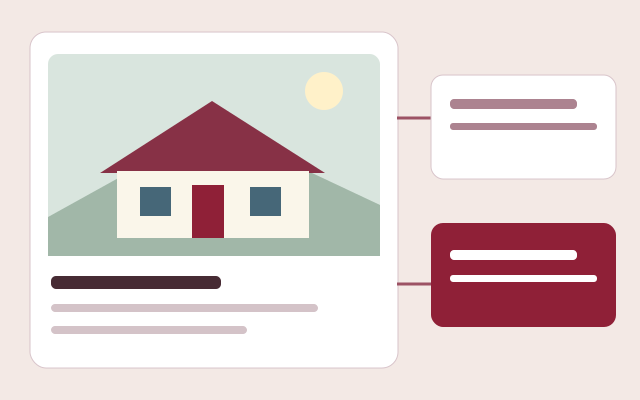
Publish dimensions, square footage, bedrooms, bathrooms, images, floor plans, features, documents, manufacturer resources, and current starting-price context on a responsive model page.
Sales and project software for ADU companies
Present accessory dwelling unit models, manage buyer leads, organize site and project details, assign work, and share approved updates through one branded platform.
Request a walkthrough by emailExplore without creating an account. Choose your product and seats before checkout.
Accessory dwelling unit companies guide buyers through model selection, property questions, permitting, site preparation, delivery, installation, and closeout. Barton Digital keeps the public model experience connected to the customer record and the project work that follows, without forcing a growing ADU dealer to assemble a different system for every stage.
See the workflow before you sign up
No account, sales call or app download needed. This is an interactive workflow illustration, not a connected company workspace.
Step 1 of 3
Present home types, floor plans, specifications and the pricing packages that apply to each model.
Sample information only. Actions stay in this page and cannot change records, send messages or create charges.
Try the example action to see what happens next.
Publish dimensions, square footage, bedrooms, bathrooms, images, floor plans, features, documents, manufacturer resources, and current starting-price context on a responsive model page.
Connect the selected ADU, customer preferences, project type, delivery needs, notes, follow-up, and supporting forms to the same opportunity.
Create a project from a won opportunity, apply an ADU-specific template, order required work, assign tasks and work orders, and retain photos, files, costs, and history.
Capability 1
Capability 2
Capability 3
Connections with clear expectations
QuickBooks workflows require company authorization and supported record types. Stripe handles subscription checkout. Separate provider accounts and charges may apply; these names do not imply endorsement.
See a published showroom
Browse a working public showroom to see model discovery, galleries and buyer inquiry paths. This is a public customer experience, not access to a company's private workspace or an ROI claim.
Use your own assumptions. Our free calculators do not require an email and do not promise a particular result.
Frequently asked questions
Yes. A company can organize and filter ADUs separately while still supporting modular and manufactured homes in the same branded showroom if needed.
Yes. Company-managed CRM forms can collect contact, home, property, qualification, and project information appropriate to the company's workflow.
Yes. A won CRM opportunity can create one linked project, carry the deal and customer context forward, and apply a template selected by home type and project type.
Yes. Responsive company screens and the Android app support assigned tasks, calendars, work orders, photos, files, and permitted status updates on phones and tablets.