
A stronger model presentation
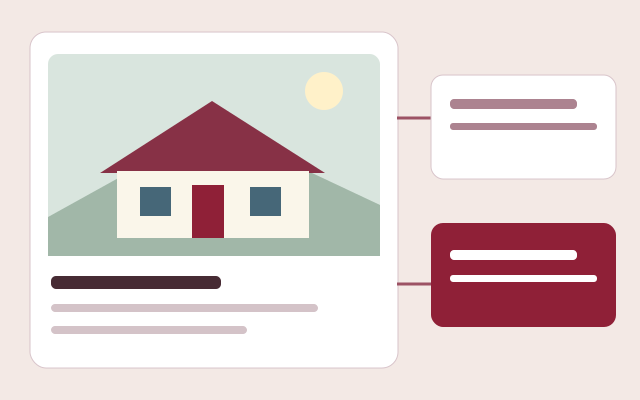
Publish branded galleries with exterior images, floor plans, bedrooms, bathrooms, square footage, pricing dates, features, manufacturer links, renderings, flyers, and supporting documents.
Software for modular home retailers
Present modular home models, manage leads, coordinate projects, issue work orders, and keep customers informed in one branded dealer platform.
Request a walkthrough by emailExplore without creating an account. Choose your product and seats before checkout.
Selling a modular home is not a single transaction. Buyers compare floor plans, review specifications, choose options, arrange site work, and wait through a long sequence of decisions and milestones. Barton Digital connects that journey so a retailer can present homes professionally, capture a better inquiry, move a won opportunity into a project, and keep field work tied to the same customer record.
See the workflow before you sign up
No account, sales call or app download needed. This is an interactive workflow illustration, not a connected company workspace.
Step 1 of 3
Present home types, floor plans, specifications and the pricing packages that apply to each model.
Sample information only. Actions stay in this page and cannot change records, send messages or create charges.
Try the example action to see what happens next.
Publish branded galleries with exterior images, floor plans, bedrooms, bathrooms, square footage, pricing dates, features, manufacturer links, renderings, flyers, and supporting documents.
Saved homes, customer preferences, visible notes, private staff notes, lead history, follow-up tasks, and quotes remain connected instead of being scattered across inboxes and spreadsheets.
Convert a won CRM opportunity into a project, choose a home-type and project-type template, create ordered work, assign tasks, and track actual project costs.
Capability 1
Capability 2
Capability 3
Connections with clear expectations
QuickBooks workflows require company authorization and supported record types. Stripe handles subscription checkout. Separate provider accounts and charges may apply; these names do not imply endorsement.
See a published showroom
Browse a working public showroom to see model discovery, galleries and buyer inquiry paths. This is a public customer experience, not access to a company's private workspace or an ROI claim.
Use your own assumptions. Our free calculators do not require an email and do not promise a particular result.
Frequently asked questions
Modular home dealer software connects the public home catalog, customer inquiries, sales pipeline, project coordination, work orders, files, and customer communication used by a modular-home retailer.
Yes. Authorized company users can edit model information, pricing dates, photos, floor plans, descriptions, features, documents, and manufacturer links after a home is published.
Yes. A won CRM deal can create a project that uses a selected template, carries customer and home details forward, and supports tasks, ordered project items, work orders, schedules, files, photos, assignees, and financial tracking.
Yes. Consumer accounts can save models and maintain preferences. The company can view those choices and use them during follow-up while keeping internal notes private.