
Keep the buyer's shortlist available
Customers can sign in from a phone, tablet, or desktop to save home models and retain preferences instead of restarting the search during every conversation.
Branded accounts for home buyers
Give modular, manufactured, and ADU buyers a branded account for saved homes, preferences, company-shared project progress, quotes, documents, security controls, and communication settings.
Request a walkthrough by emailExplore without creating an account. Choose your product and seats before checkout.
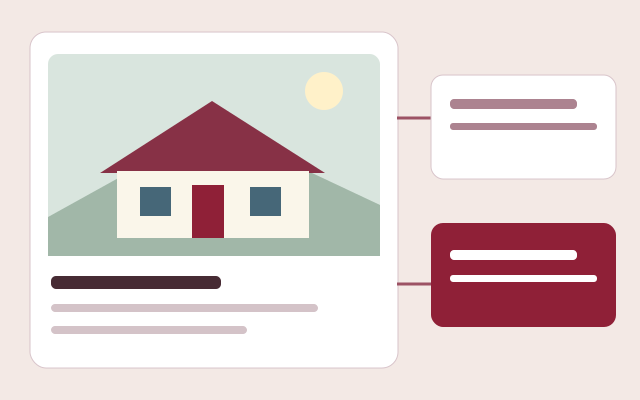
A useful home-buyer portal should remember what the customer cares about and give the company a controlled way to share information. Barton Digital connects the buyer's saved models and preferences to the dealer's CRM while keeping private staff notes, internal project work, and restricted files out of the consumer view.
See the workflow before you sign up
No account, sales call or app download needed. This is an interactive workflow illustration, not a connected company workspace.
Step 1 of 3
Present home types, floor plans, specifications and the pricing packages that apply to each model.
Sample information only. Actions stay in this page and cannot change records, send messages or create charges.
Try the example action to see what happens next.
Customers can sign in from a phone, tablet, or desktop to save home models and retain preferences instead of restarting the search during every conversation.
Companies can publish customer-visible project milestones, notes, quotes, and approved documents separately from private staff notes, financial records, and internal operations.
Authorized company users can see the customer's saved homes and preferences alongside the CRM record so follow-up reflects the buyer's actual interests.
Capability 1
Capability 2
Capability 3
Connections with clear expectations
QuickBooks workflows require company authorization and supported record types. Stripe handles subscription checkout. Separate provider accounts and charges may apply; these names do not imply endorsement.
See a published showroom
Browse a working public showroom to see model discovery, galleries and buyer inquiry paths. This is a public customer experience, not access to a company's private workspace or an ROI claim.
Use your own assumptions. Our free calculators do not require an email and do not promise a particular result.
Frequently asked questions
Yes. Customers can save published models and keep a shortlist associated with their company-specific account.
Yes. Authorized company users can review saved models and preferences for that customer inside the company workspace.
Yes. Private company notes are separate from customer-visible notes and remain limited to authorized staff and Barton owner access.
Yes. Companies can create and send quotes to customer portal accounts and track the related workflow.
Yes. A customer sees only projects linked to that account and only an approved summary of status, progress, milestones, customer notes, and schedule dates. Internal notes, costs, accounting links, staff assignments, and other operational fields remain outside the customer response.